
Internal Users are FFMVic staff from DEECA, Parks Victoria and Melbourne Water.
LaDIS Tips:
- Always use Google Chrome to access LaDIS on a Desktop or Laptop (Do not use a smart device such as a mobile or tablet)
- If you are having issues try clearing your cache
- If you think you have forgotten your password, you will need to reset your FireWeb password.
Fireweb Login Info:
- When logging in as an internal user through the organisation login portal you now need to add ffm\ before your FireWeb username e.g. ffm\lg0t or ffm\Lindsay.Grass etc.
Need to complete an online course? Expand here for more information
- If you don't have a fireweb account - register here
- Keep in mind registration can take up to 24 hours to be approved and finalised
- Obtain your Unique Student Identifier (USI) here and save it to your personal details under the 'My Account' tab in LaDIS.
- For more information check out the guide on obtaining your USI here
- Login to LaDIS using the internal user login button at the top of this page using your Fireweb credentials.
Quick Steps for Enrolling in an Online Course:
- Login to LaDIS using your Fireweb username and password
- Find more detailed information here
- Click on the 'Search for Course' Tab
- Find more detailed information here on enroling in a course
- Scroll to find the course you want to enrol in, or Search for the course name using the search bar
- Click 'Enrol' for the course you want to enrol in e.g. Basic Wildfire Awareness
- Verify your USI (if required) and finalise the enrolment
- Your enrolment will be automatically approved
- Go to the 'Online Courses' tab to launch the course
Online Course Tips:
- You must be logged in as a "Student" to complete eLearning in LaDIS
- If you click on a link within a course, your course pop up will minimise, to find the course window hover over your browser icon in your taskbar and select it
- When you have completed a course and closed the course pop up window, do not close the window in the image below - wait for it to refresh as this will save your results in LaDIS
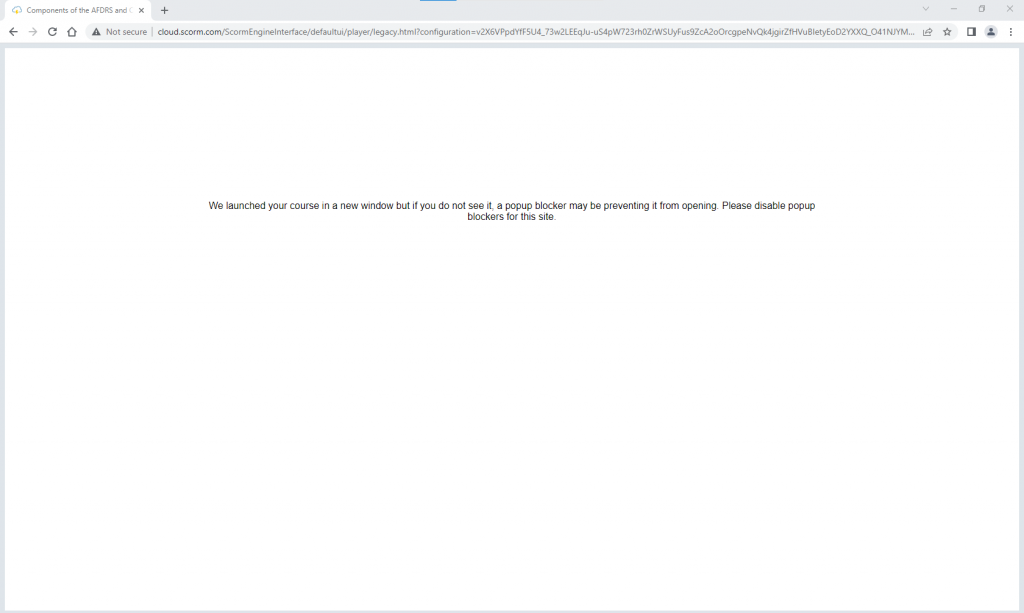
Check out the guides below for detailed instructions on the above steps.
- How to Access LaDIS for Internal Students
- Obtain your Unique Student Identifier (USI)
- How to enrol and complete Online Courses (including Basic Wildfire Awareness - Internal Students)
- View my Training Profile - Training and Capability Record
All DEECA, Parks Victoria, and Melbourne Water staff who have Fireweb Accounts click the "Internal User Login" button at the top of the page and login to LaDIS using your Fireweb username and password.