
Ready to enrol?
Before trying to enrol in an eLearning course, make sure:
✔ You have access to LaDIS
✔ Your user profile is up to date
✔ You are using a desktop or laptop
✔ Pop-ups are enabled in your browser
Need help Accessing LaDIS? ⇒ Accessing LaDIS Help Page
eLearning Enrolment Process:
Step 1: Search for a Course
- Log into LaDIS as a Student
- Open the Search for Course page

- Browse the available courses or use the search bar to find a specific course
Tip: If you know the course name, using the search bar is the quickest way to locate it.
Step 2: Enrol in the Course
- Locate the course you want to complete
- Click Enrol

- Enter and Verify your USI if prompted
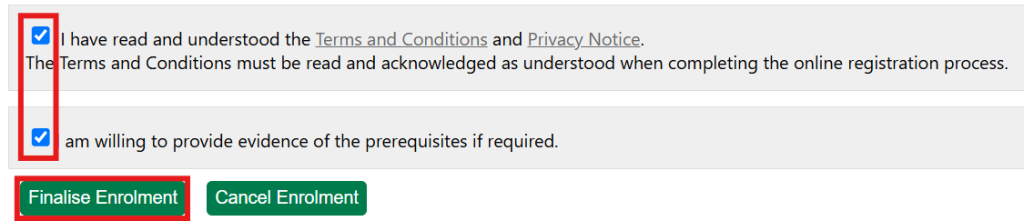
- Review then Enrolment Conditions and then Finalise Enrolment to submit your enrolment
Step 3: Approval
- Most courses are approved automatically. Where approval is required, processing may take up to 2 business days.
- You will receive an email once your enrolment has been approved. After approval, your course will be available in the Online Courses tab.
Step 4: Launch Your Training
- Open the Online Courses tab

- Locate your enrolled course
- Click Launch to begin the eLearn